Work/Case Studies
Mar 2025 - Present
Wells Fargo
Senior Product Designer
Designing AI-driven and enterprise governance products for banking teams. Details are limited due to confidentiality.
Current projects
-
Lumio AI
A conversational tool that lets users get information from databases in plain language instead of writing queries.
-
EDQDM: Enterprise Defect Quality Management
Manages complex, real-time banking defects. I designed an independent inline review process for the governance team.
Digital banking runs on fintech partnerships and APIs, so the experience developers have integrating with US Bank shapes the experience millions of customers have in the apps built on top. But developers faced fragmented documentation, slow onboarding, and almost no debugging visibility. I designed a Developer Dashboard to fix this, treating it as a consumer-grade product for a B2B audience. At its core, it was an ecommerce-scale information architecture challenge: a large catalog of complex products (APIs), users with high intent but no clear entry point, a multi-step conversion funnel (onboarding), and the need to build trust through transparency (real-time monitoring). The solution used the patterns that drive the best consumer experiences: structured navigation, faceted search, catalog browsing, and funnel optimization.
US Bank wanted to expand and roll out API capabilities to fintech partners — but the mandate was clear before a single screen was designed: understand the real experience first. We interviewed stakeholders and developers, ran competitive analysis against peer bank portals, and conducted usability tests on existing legacy tools. What emerged wasn't surprising, but it was striking in scale. Developer interviews revealed a strong preference for interactive documentation and flagged sandbox setup as a consistent blocker. Support ticket analysis pointed to the same friction zones — authentication setup, API key generation, and zero testing visibility. Competitive analysis made it even sharper: portals like Stripe and Plaid had set a high bar that US Bank's offering wasn't close to meeting. Taken together, these findings defined the problem statement — not a single usability issue, but a systemic gap: no dashboard, no self-service, no transparency, and no process that a developer could navigate independently.
Key Gaps Identified
- No centralized dashboard — developers had no single place to manage APIs, credentials, or monitor usage
- Competitor portals (Stripe, Plaid, Chase) offered guided onboarding and live sandboxes; US Bank had neither
- No self-service — every step required admin involvement via email or support tickets
- Lack of interactive documentation made it hard to explore or test APIs in context
What Developers Needed
- A guided, self-serve onboarding flow with clear steps and no manual dependencies
- Real-time visibility into API health, usage, and error states
- Sandbox environments that were easy to access and understand
- Documentation they could interact with — not just read
Developers integrating banking APIs were blocked at every step. Entirely manual, admin-dependent workflows — scattered across disconnected portals and endless support tickets — made API onboarding a slow, opaque process with no clear path forward and no visibility when things broke.
The core concept was a centralized Developer Control Center — a single place to discover APIs, generate credentials, test APIs, and monitor API performance. The solution featured an API Marketplace for structured discovery, a guided onboarding flow to replace admin-heavy email processes, and a real-time monitoring dashboard to build developer trust through transparency. Contextual help was embedded throughout to reduce friction, and the modern interface delivered a frictionless integration experience that led to a 40% increase in successful app registrations.
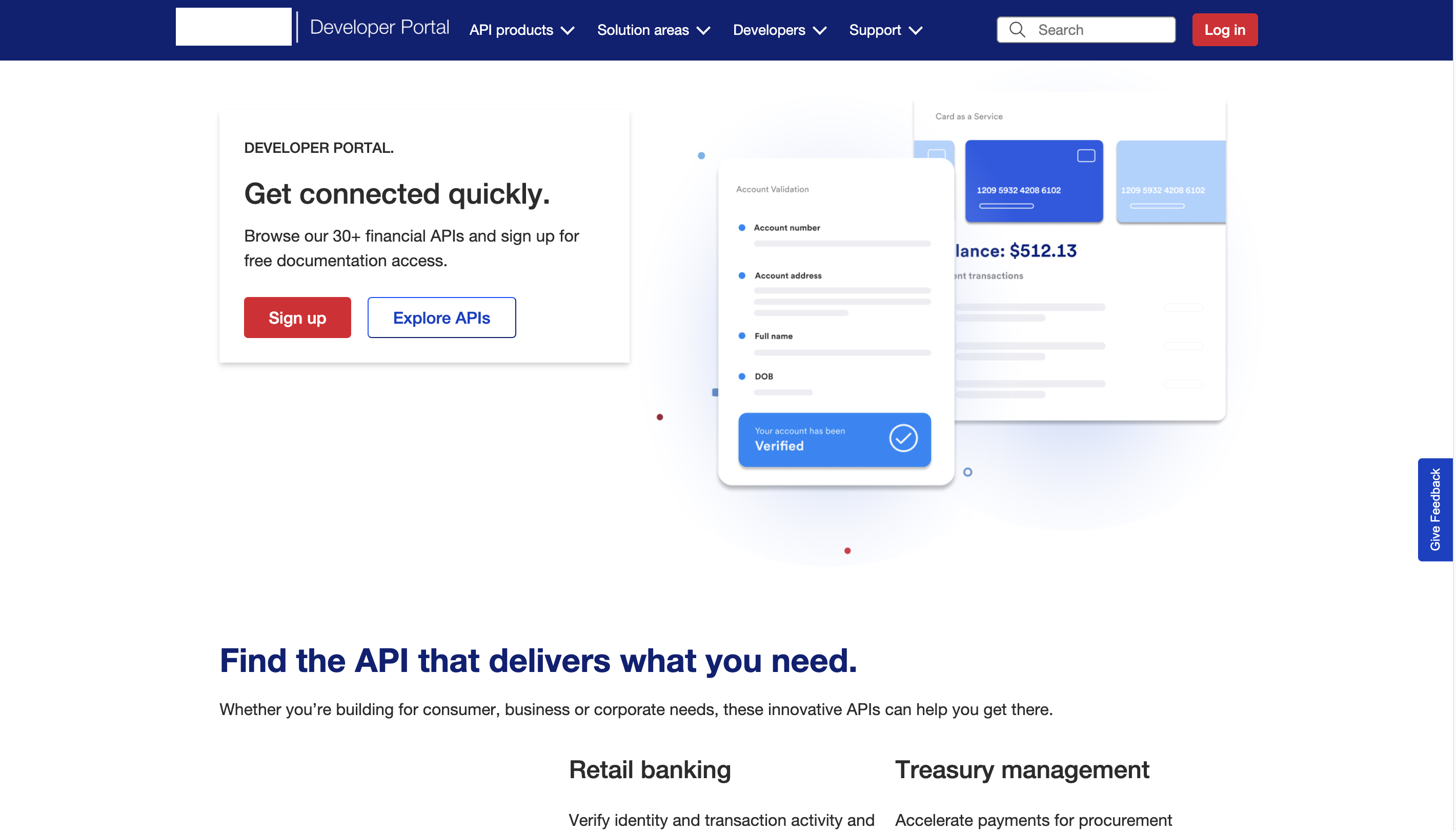
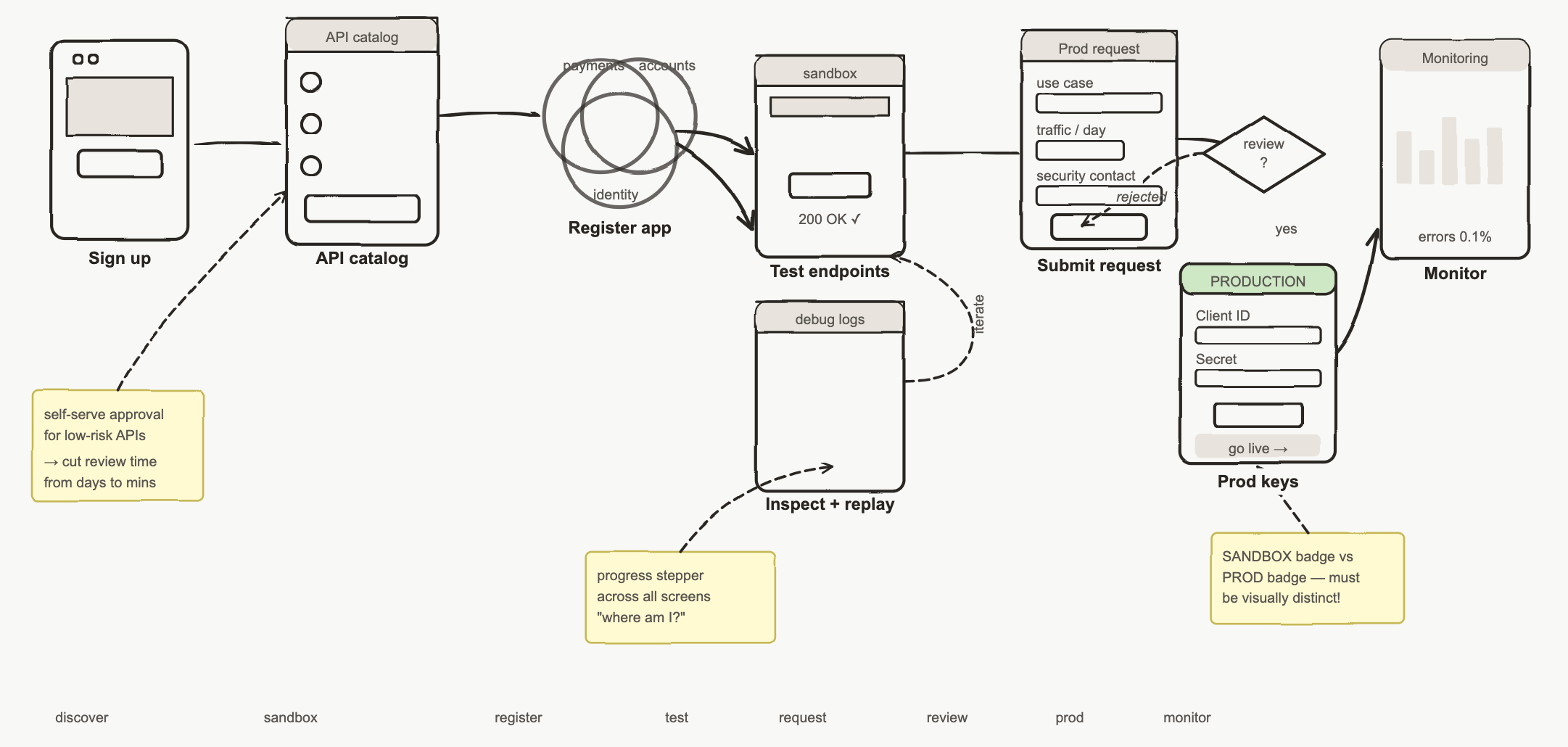
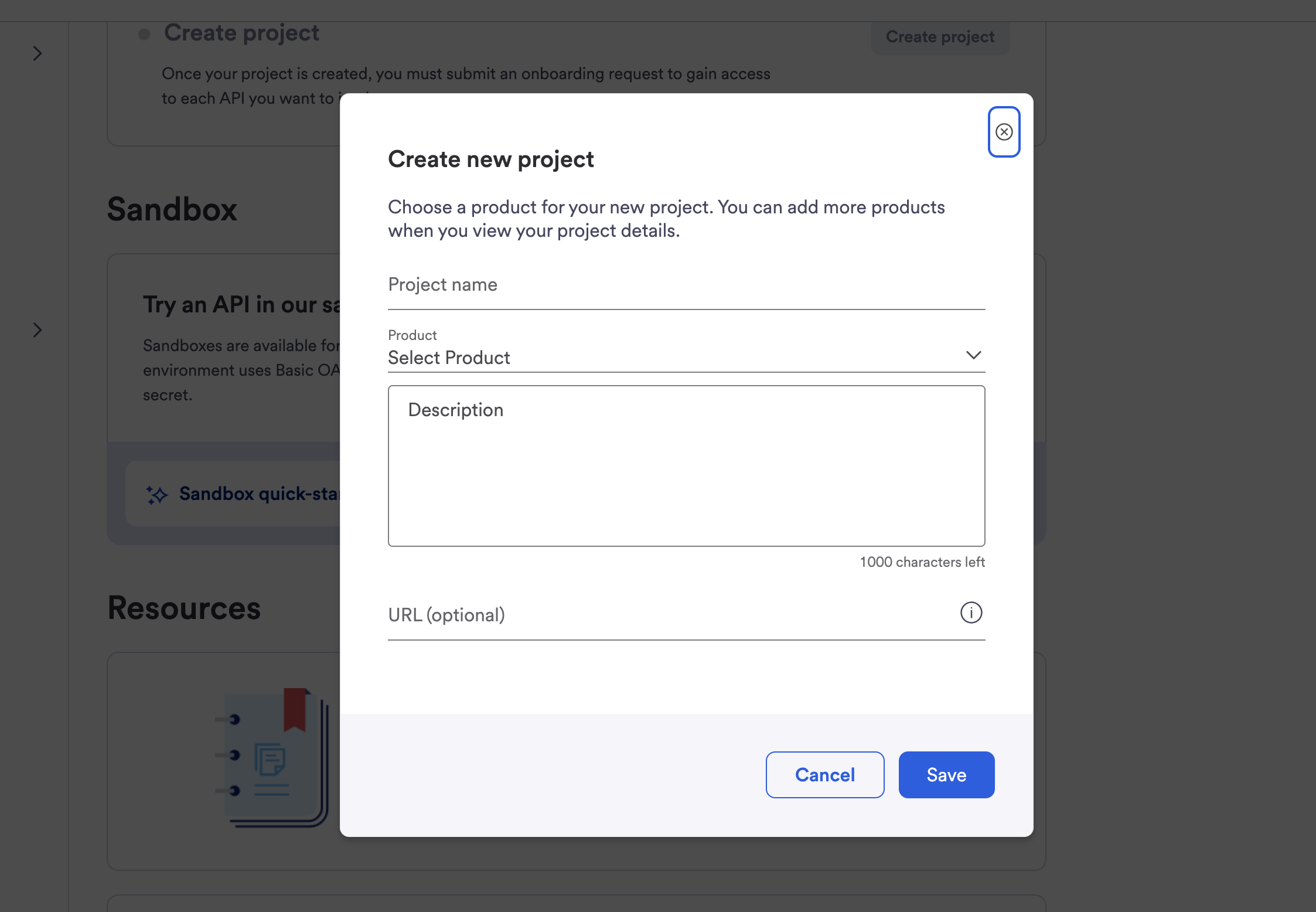
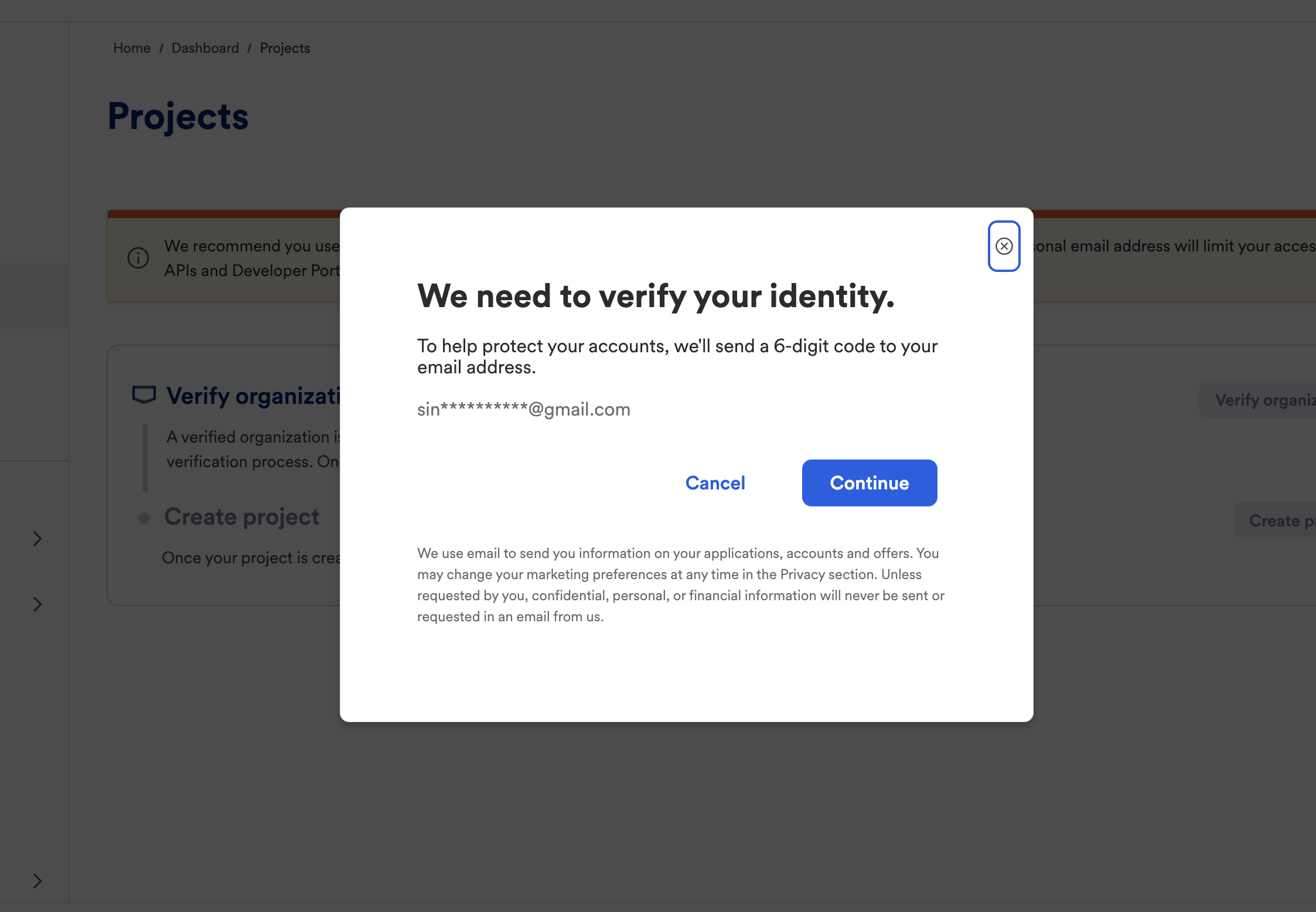
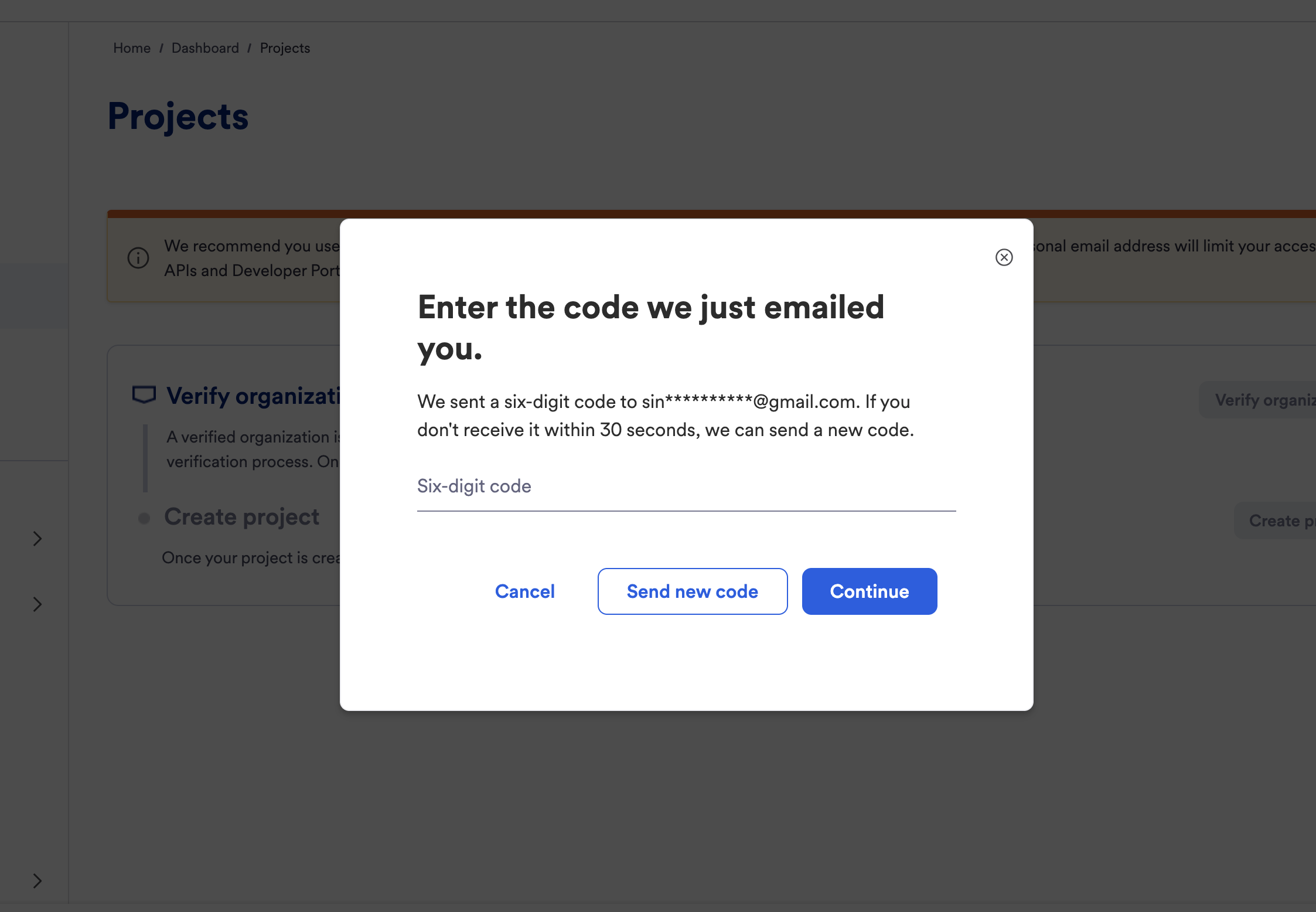
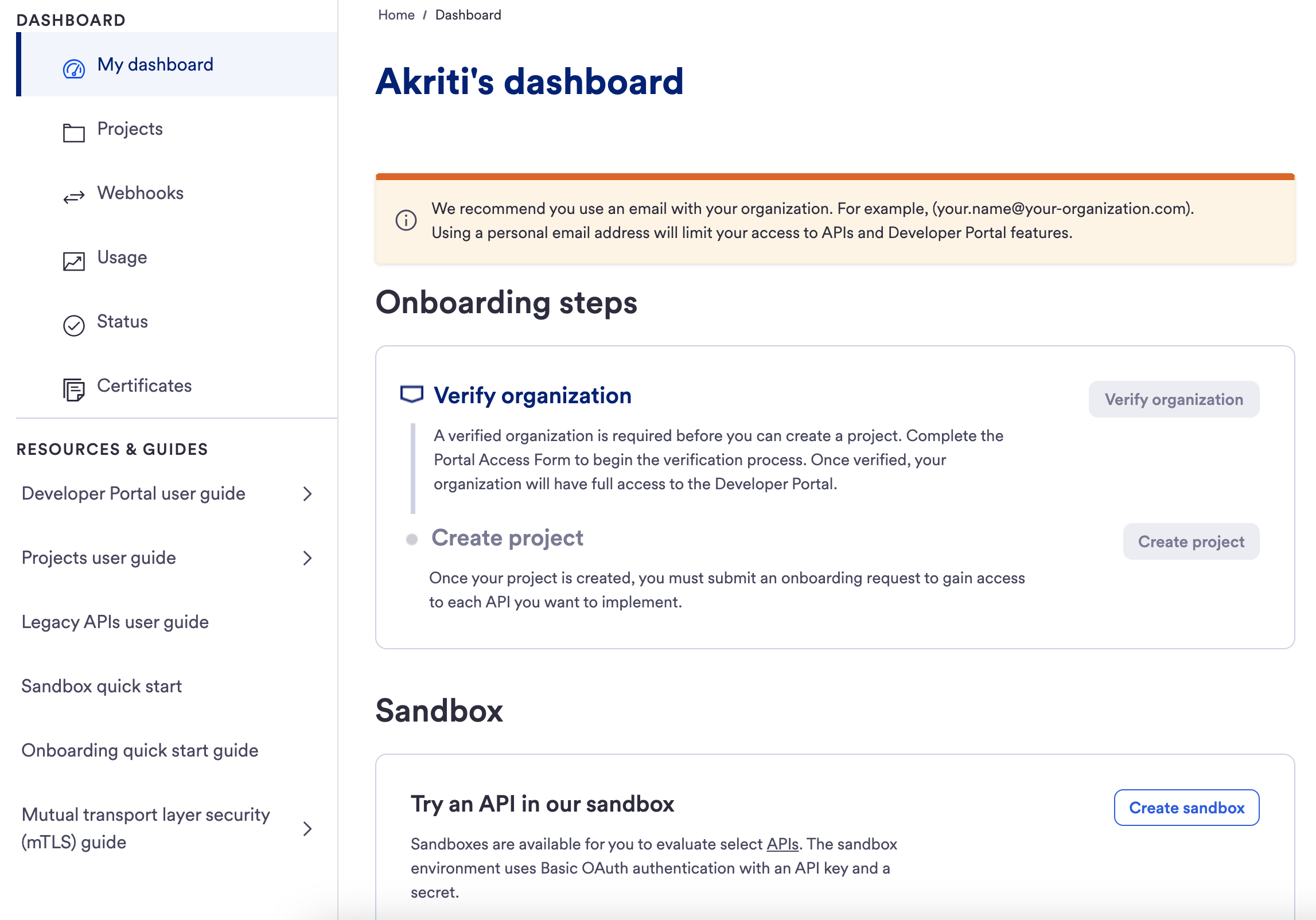
Developer Dashboard — Onboarding Steps & Sandbox Final design
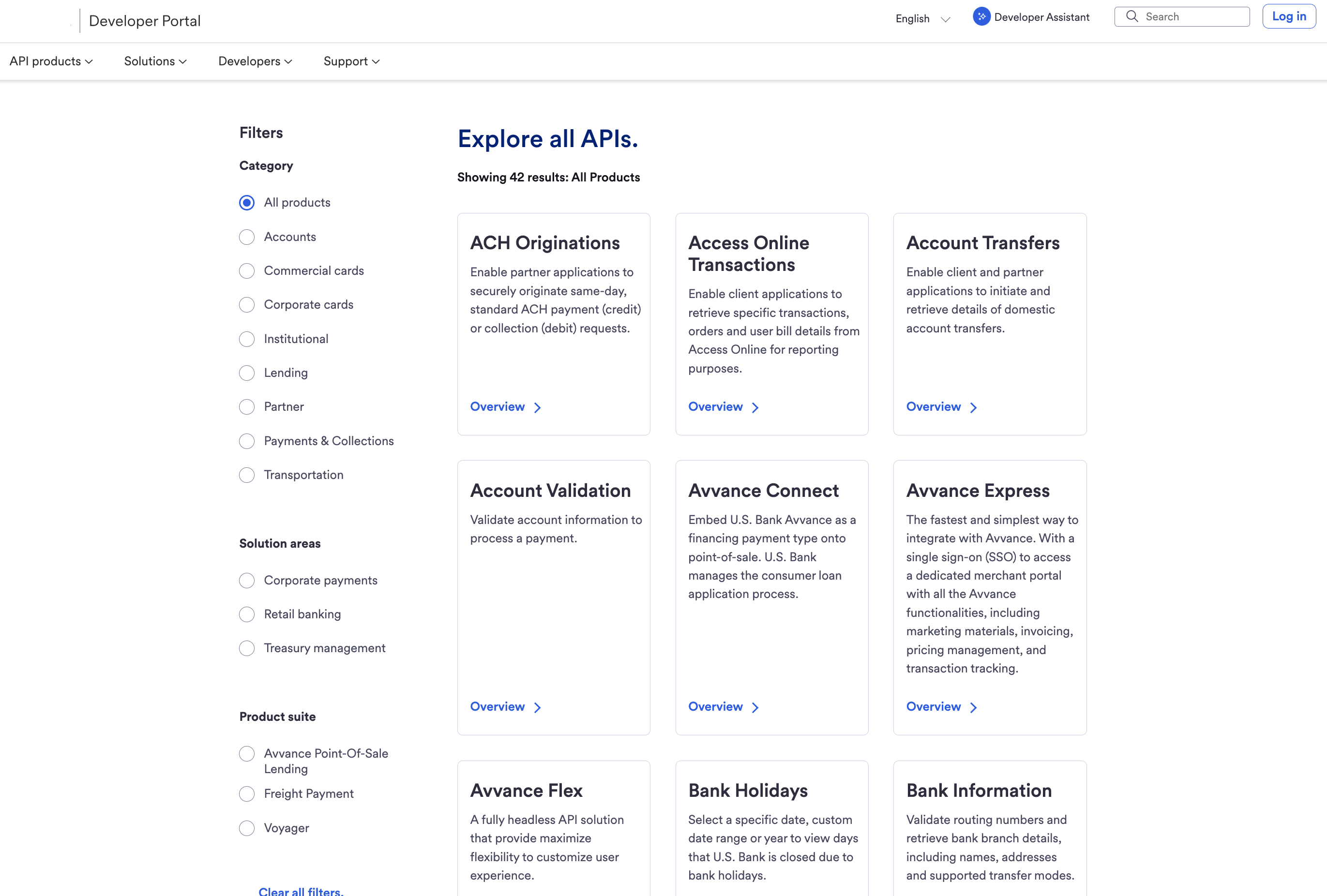
API Explore — Faceted search and structured product catalog
Alongside the dashboard, the API Explore page became the front door of the platform — replacing the old flat product grid with a structured, searchable marketplace. Developers can now filter by category, product suite, and solution area to find the right API in seconds instead of scanning 35 unlabeled cards. Each product surfaces a clear name, a one-line use case, and a direct path to its documentation — turning API discovery into the same scannable, faceted experience developers already expect from modern platforms like Stripe or Plaid.
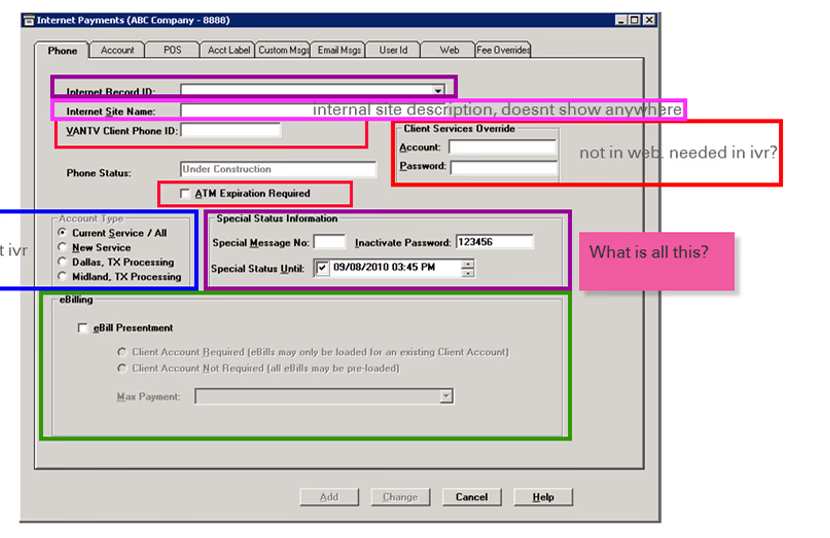
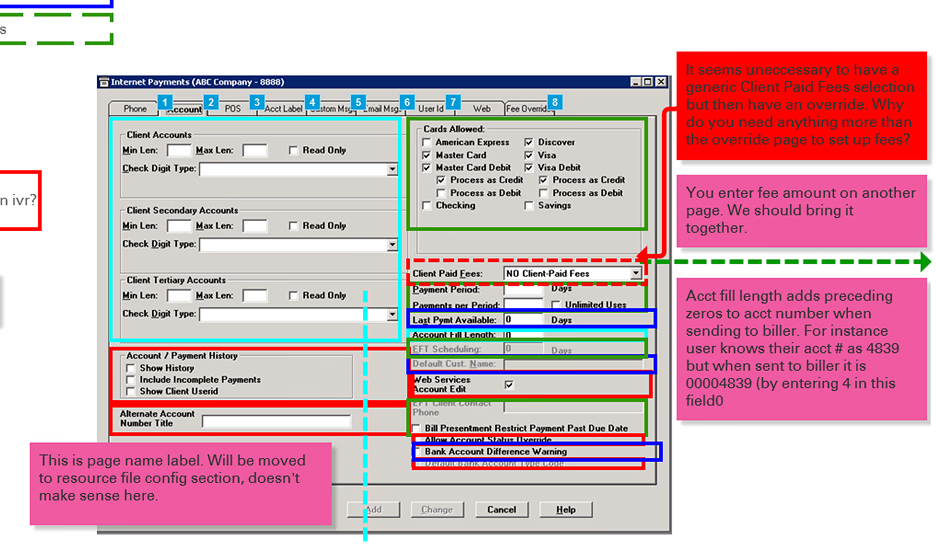
Financial institutions rely on a legacy desktop-based payment administration system to configure and manage payment channels for thousands of customers across multiple banks. Administrative users use this system to set up configurations that determine how reseller platforms present payment options and experiences to their end users. The existing interface — originally designed for desktop — was dense, difficult to scale, and incompatible with modern web-based reseller platforms. This project focused on transforming that legacy workflow into a modern web-based experience that simplifies complex configurations and improves usability for administrators while maintaining flexibility for banks and resellers.
The legacy interface contained dense configuration settings, limited guidance, and outdated interaction patterns that increased cognitive load for administrators. This led to slower setup times, potential configuration errors, and a system that was difficult to maintain or integrate with modern platforms. The core challenge was redesigning a specific configuration screen — for adding or editing payment channels — that directly influences how reseller platforms display payment options and flows for end customers.
We began with internal research and stakeholder discussions with the admin team that had been working with the desktop application for several years. We mapped existing workflows and system architecture by creating flow diagrams for key administrative tasks including payment channel setup, adding contacts and banks, configuring account numbers, and other related configurations. We then conducted interviews with two distinct user groups to capture the full picture.
Experienced Administrators
- Had used the desktop interface for years
- Developed personal workarounds to manage complexity
- Understood hidden dependencies through trial and error
- Resistant to change but acknowledged deep inefficiencies
Newly Trained Administrators
- Understood the system from training materials only
- Lacked real-world experience with the interface
- Struggled with unclear terminology and fragmented layouts
- Highlighted learning barriers invisible to veteran users
Configuration & Navigation Issues
- Disorganized settings scattered across different sections
- Related information placed on separate, disconnected pages
- Fragmented account setup spread across multiple screens
- Users forced to repeatedly navigate between pages for one task
System & Terminology Issues
- Hidden dependencies — fields appeared without clear context
- Some configurations handled via SQL scripts, not the UI
- Admins needed engineering support for routine tasks
- Outdated terminology increased the learning curve for new users
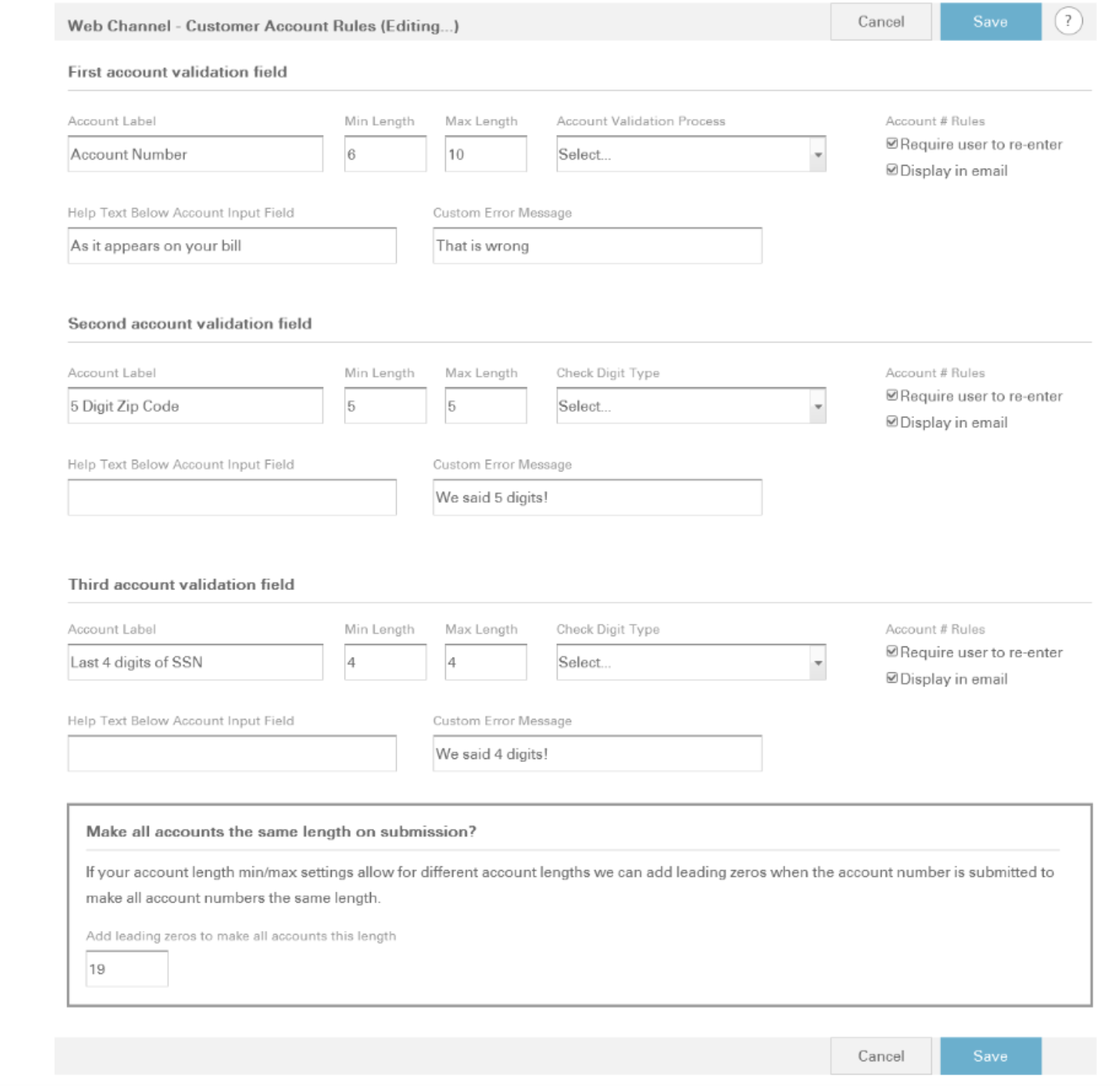
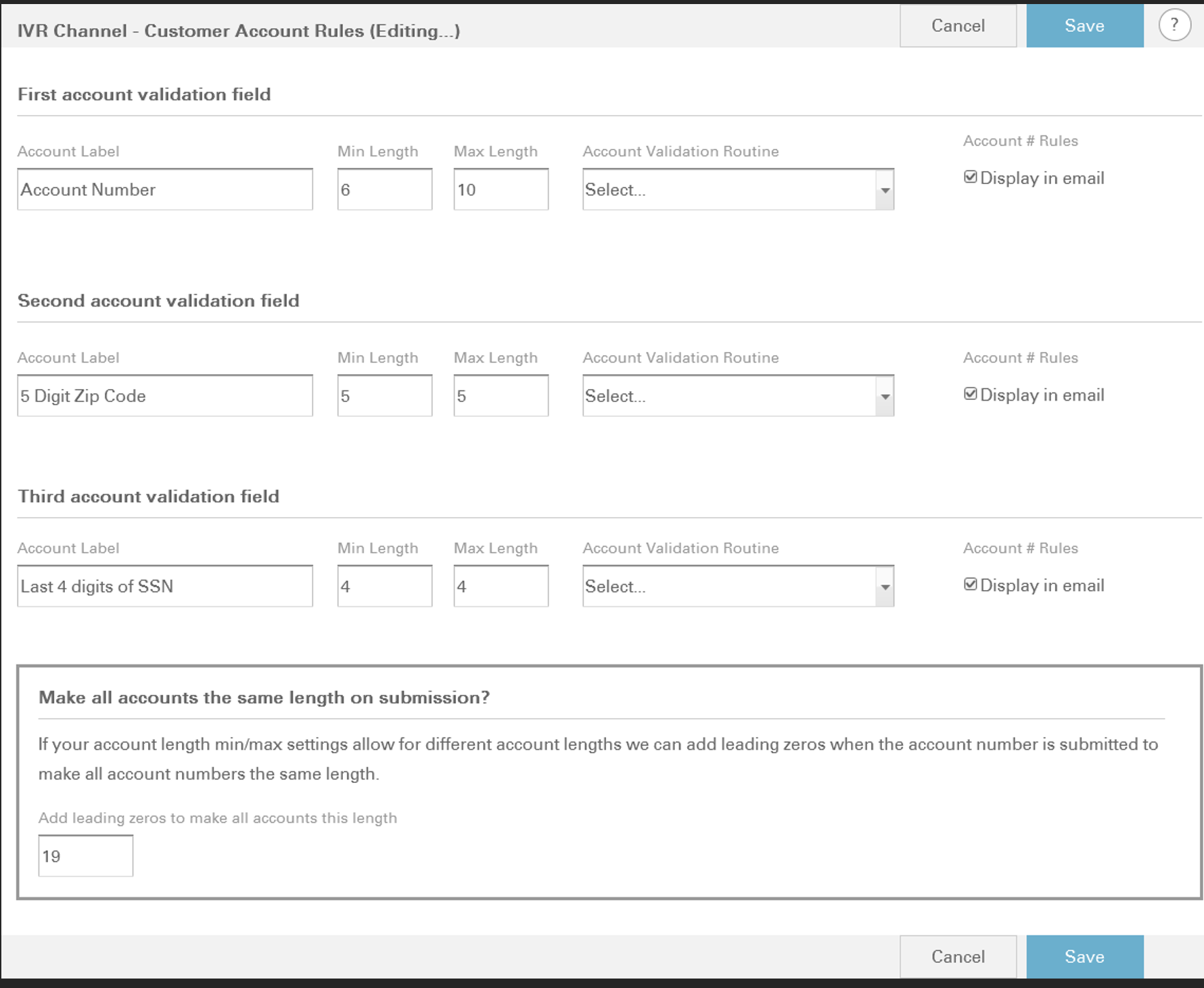
The core redesign strategy was built around five opportunity areas. Configuration settings were reorganized into logical groupings, eliminating the need to navigate between disconnected pages. Dependent account configuration fields were consolidated into a unified flow, reducing unnecessary back-and-forth. Dynamic show/hide behaviors were introduced to surface system dependencies in real time, replacing the need to rely on tribal knowledge. Where possible, SQL-based configurations were converted into accessible UI controls so administrators could complete tasks independently. Finally, in collaboration with content designers, terminology was modernized to reflect current payment workflows and reduce the learning curve for new users.

Property management companies and real estate agencies struggle with fragmented tools for managing listings, tenant data, financial analytics, and maintenance requests. This exploratory project focused on designing a centralized admin dashboard that consolidates property operations into a single, modern web-based interface — giving administrators a real-time view of their portfolio, streamlined lease management, and actionable insights to make data-driven decisions.
Real estate administrators typically rely on multiple disconnected systems — spreadsheets for financials, separate CRMs for tenant communication, and manual processes for lease renewals and maintenance tracking. This fragmentation leads to data inconsistencies, missed renewal deadlines, and poor visibility into property performance. The challenge was to design a unified dashboard experience that brings together property listings, tenant profiles, financial reporting, and operational workflows into a cohesive, intuitive interface.
The research phase began with competitive analysis of existing property management platforms and admin tools to identify common patterns and gaps. I reviewed products across the PropTech landscape — from established platforms to emerging SaaS tools — evaluating their information architecture, data visualization approaches, and workflow efficiency. Additionally, I gathered qualitative insights from property managers and real estate administrators to understand their daily workflows, key decision points, and the most common frustrations with existing tools.
Key User Needs
- At-a-glance portfolio health with KPIs
- Centralized tenant and lease management
- Automated alerts for renewals and overdue items
- Financial summaries tied to individual properties
Competitive Gaps Identified
- Most tools lacked a strong analytics dashboard
- Tenant communication features were siloed
- Navigation was often cluttered and inconsistent
- Mobile responsiveness was an afterthought
The dashboard design was built around three core principles. First, a data-first layout that surfaces KPIs — occupancy rates, revenue, pending actions — at the top level so administrators can assess portfolio health without drilling down. Second, a modular card-based interface where each section (listings, tenants, finances, maintenance) functions as an independent module that can be expanded or collapsed based on the user's current task. Third, contextual navigation with a persistent sidebar that adapts its active state to the current workflow, reducing disorientation in a data-heavy environment.
